“I had a wonderful experience with Radiant Credit Union! It’s rare to find a place where you genuinely feel valued as a member, but that’s exactly how I feel here. I truly appreciate all of you — thank you for consistently providing such excellent service!”

All Your Subscriptions in One Place
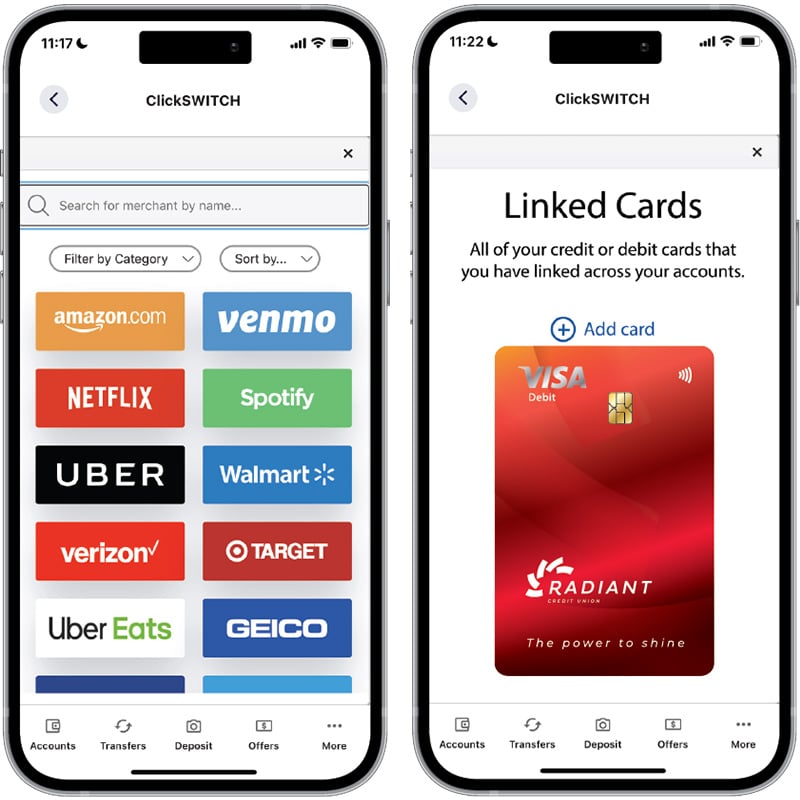
Update Your Favorite Online Stores & Subscriptions in One Place.
Say goodbye to the hassle of updating card details on all of your favorite platforms one at a time. Radiant SwitchCards is here to revolutionize your digital payment experience.
Securely enter your Radiant card information and your login credentials once, and let us handle the rest.
Using Radiant SwitchCards is a Game-Changer
- All Your Favorites in One Place
- Netflix, Amazon, iTunes, Uber, and dozens more.
- Trustworthy and Secure
- Your card details and login credentials are in safe hands.
- Always in the Know
- Set up notifications and be on top of your game.

How to Set Up SwitchCards
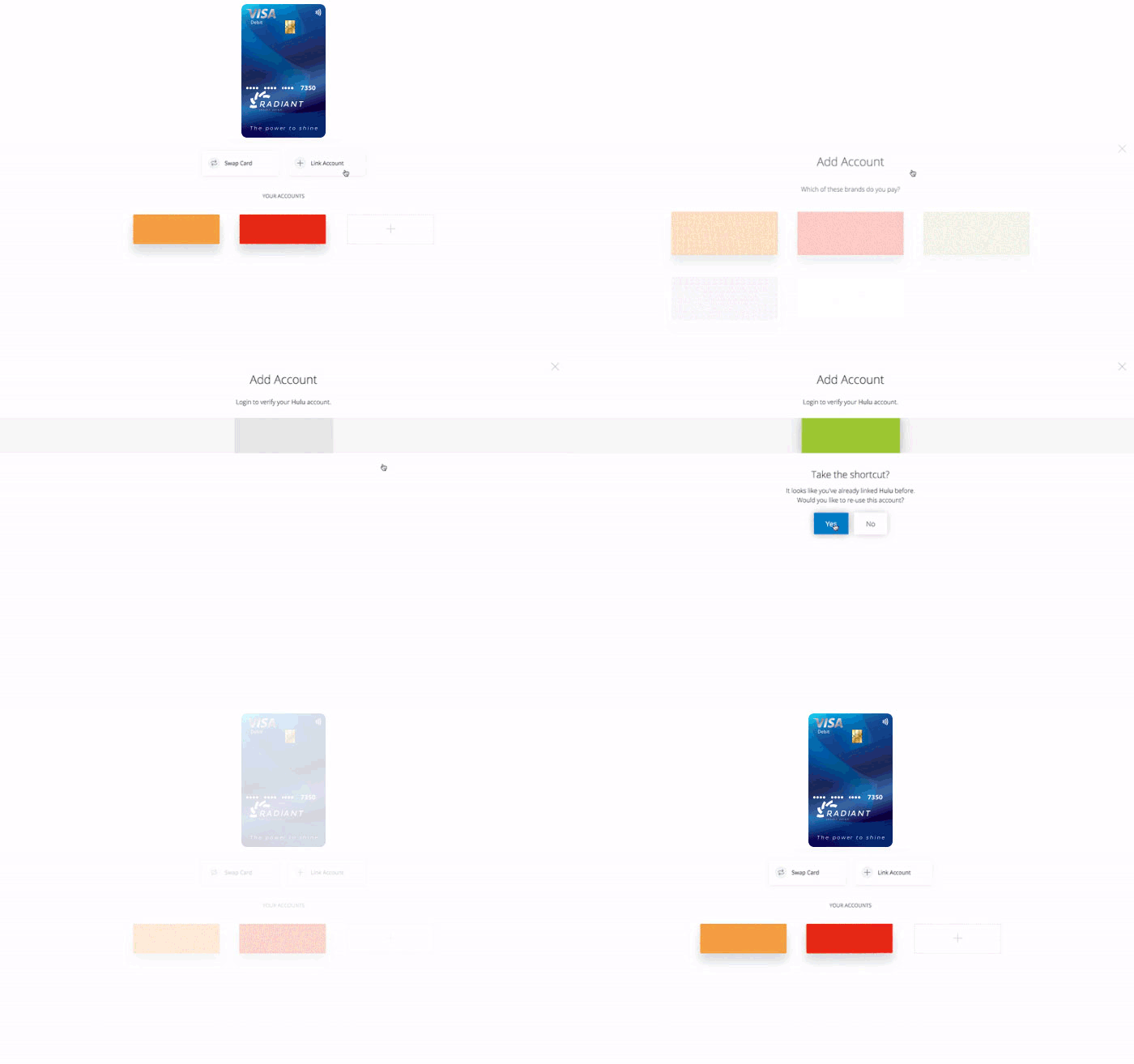
- Log in to your Digital Banking account and click on "Tools" in the menu, then "Switch Accounts." Click "Open" to begin.
- Select “SwitchCards” from your personal dashboard screen.
- Select the merchants you wish to connect to your Radiant Credit or Debit cards.
- Log in to the first merchant platform prompted to connect it to your SwitchCards account.
- Enter the Radiant debit or credit card you want associated with that vendor.
(You have the option to add additional Radiant cards as you enter login information for your additional vendors.) - Enter your login credentials for the next vendor you selected.
- From the drop down, Choose the initial card or 'Add New Card' to select a different Radiant card for the vendor.
Continue steps 6 and 7 until all of the merchants you selected in Step 3 are logged in and connected.
Yep, it’s just that easy!

FAQs
-
End users will receive an error message if they are entering an incorrect card number, expiration date, zip code or CVV. Have the end user double check that you are entering correct card information. If an end user is attempting to add a payment method from a different financial institution, and you’ve restricted cards to only your debit/credit cards, end users will receive an error message instructing them to enter in your card.
-
It may take up to 24 hours. However, in most cases, the card switch happens immediately. It may take longer if the provider website is down or we encounter an issue with the switch during the first attempt.
-
Whether or not you receive a confirmation email from a provider is dependent on the provider and the provider's process for notifying customers of changes on their account. Q2 has no control over direct provider notifications to end users.
-
The (!) next to a provider means the provider is temporarily down for maintenance. The end user is instructed to check back later if they wish to attempt to switch out their card. The (!) may also mean that there is an issue with the end user’s account. If the end user clicks on the provider with an (!) they will receive information regarding the problem with their provider account and instructions on how to resolve the issue. Clicking on the provider will always provide messaging to the end user.
-
End users may receive notification from some providers that their account is being accessed from a location different from where they are located. This is caused by providers detecting a login from our servers rather than the end users locations. In order to perform the switch, our system will need to access the end user's account.
-
End users may receive notification from some providers that their account is being accessed from an unknown device. This may occur is the end user has selected “remember me” upon login and the provider registers their device. If the SwitchCards system accesses an account with these settings in place, the provider may notify the user since our system is different than what the end user typically uses to access their account.
-
Authentication requirements differ by provider. Some providers require a security question or code in order to access an account. If the provider requires the end user to enter a security question or code outside of SwitchCards, the end user will also be required to enter your security question or code inside of SwitchCards.
-
The list of available tools is growing rapidly. Access SwitchCards in your app or eBanking to see the latest list. But here is an incomplete list of some of the larger platforms that work with SwitchCards:
Netflix
Amazon
Venmo
Uber
Spotify
Target
AT&T
Walmart
Verizon
Paramount+
Booking.com
Starbucks
xfinity
Grubhub
Pandora
Steam
Roku
Crunchyroll
SiriusXM
Walgreens
eBay
Audible
DISH
Priceline
Groupon
Chipotle
Best Buy
Macy's
Pizza Hut
Domino's
AMC Theatres
Dunkin'
Squarespace
Sling TV
Delta
HSN
USPS
Sephora
HelloFresh
Ticketmaster
Expedia
Wayfair
Stitch Fix
QVC
JC Penney
WeightWatchers
Vudu
Wendy's
REI
Old Navy
UPS
Blue Apron
TripAdvisor
Travelocity
DSW
OfficeDepot
KiwiCo
Shipt
Birchbox
FedEx
Staples
Krispy Kreme
eHarmony
Redbox
Belk
Banana Republic
Zappos.com
Earthlink
Vimeo
Adobe
Worried about switching direct deposits? Or bill payments?
We've got that covered too.
Our Members are Talking
“We've been with Radiant Credit Union for years and have always been impressed with their friendly professionalism and efficiency."
“It's always a pleasure working with Radiant. Everyone is so helpful and informative of possible solutions and opportunities that you may not even know about. I've been a member for many years and look forward to many more. I always feel and know that Radiant is in my corner!”